Blogging for Beginners
Content Creators Society
The Path to Monthly Blogging Income
The Blogging Mastery Blueprint
Content Creators Society FB Group
CCS Exclusive Resources Roundup
Other Services
Private 1-1 Business Coaching
DFY Services
Blogger Resources
Free Traffic Generator FB Group
Inspired to Blog Community FB Group
Keyword and Content Organizer Excel
Trello Blog Post Calendar
Canva Blog Branding Kit
Blog Formatting Framework PDF
Signature Blog Success Planner PDF
Welcome to the flagship course of the Content Creators Society. In this ever-growing program, we will go through everything you need to know about building a website to monetizing it, maintaining it, and selling or growing a portfolio beyond your first asset.
The goal of this course is to help you learn all the fundamentals in niche site creation so that you have a solid online business that will earn you that coveted “monthly blogging profits.” Continue scrolling down for the course content.
Additional Resources


Setting Up Your Website
All your website set-up resources are on this page – click on a lesson and you will be taken to that module. As always, if you have any questions please make sure to ask them in the facebook group to get answers.
Lesson 1 – WordPress Quickstart Guide
In this first module of the series, we’ll be diving into the basics of setting up your website hosting and domain name.
This quick-start guide is perfect for beginners who are just starting to build their online presence. You’ll learn how to choose the right hosting provider, register a domain name, and properly configure your DNS settings.
By the end of this module, you’ll have connected your domain name to your hosting account and have a fresh WordPress install on your website.
Technical Tip to Remember: You only need two records on your DNS (Domain Name Servers) to “propagate” your website information.
The two records include an “A Record“, in which you will place nothing in the “Host” column/section and your Hosting account IP address in the “Data” or “Information” section. The second record is the “CNAME” record, may include a “www” or nothing in the “Host” column/section and the URL name/ domain name in the “Data” or “Information” section of the record.
Lesson 2 – Backing up Your Site
In the “Backing Up Your WordPress Website” lesson, you will learn the importance of regularly backing up your website, and how to do it in three different ways.
You will learn how to use the built-in backup options within WordPress, as well as how to use two popular third-party backup solutions. By the end of this lesson, you will have a solid understanding of the different options available for backing up your website, and you will be able to choose the best method for your needs. So, whether you’re just starting out or you’ve been blogging for years, this lesson is essential for ensuring that your hard work and valuable content are protected.
Important Tips to Remember:
- Backup your site before any plug-in updates
- Backup your site before any theme or wordpress CMS updates
- Backing up with WordPress Tools will export a .wpress file
- Backing up through your hosting account will export a .tar.gz.zip file in most cases (ask questions in the group if you have trouble with this method)
- Using WP all-in-one migration tool is a great and effective way to backup a large site >20MB and can be used across several different sites! Just make sure to save the unlimited plugin to a safe location on your harddrive, that you can find.
Lesson 3 – Google Analytics Configuration
In the “Google Analytics Configuration” lesson, you will implement a traffic tracking system into your website to see where and how your audience is finding you.
Here, we will set up and configure Google Analytics for your website. We will cover topics such as creating a Google Analytics account, generating tracking codes, installing the tracking code on your website.
Important Tips to Remember:
- Installing the Google Analytics Code to your Header on your website, can be deleted if you change the theme out on your site (it will look like your website traffic is tanking) Make sure to reinstall the code, if you’ve changed the theme on your website.
- You can install the Google Analytics Code to your site using the Rankmath plugin, which will typically keep your site connected to the tracker, even if you change your theme.
Lesson 4 – Google Search Console (Coming Soon)
This lesson is in our queue for production. You will be notified when it becomes available.
If you have any requests related to setting up your website, please submit your questions in the Facebook Groups.

-
 PLR Scene Creator Kit – Basic ElementsOriginal price was: $47.00.$27.00Current price is: $27.00.
 -
 Camping & Outdoors Website for Sale – Starter Site
 -
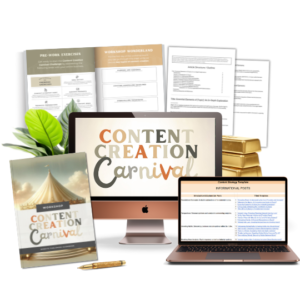 Content Creation Carnival Workshop ReplayOriginal price was: $17.00.$2.99Current price is: $2.99.
 -
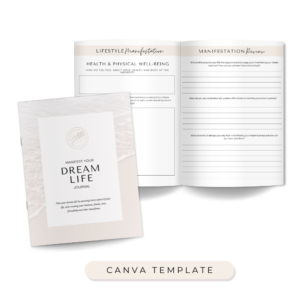 Manifest your Dream Life Journal – DFY Lead Magnet$7.00
 -
 Lead Generation eBook MRR PLR Digital Product for ResellPrice range: $17.00 through $27.00
 -
 Beauty Journal PLR MRR Digital Product for ResellPrice range: $17.00 through $27.00
 -
 Work Smart, Not Hard CourseOriginal price was: $27.00.$9.00Current price is: $9.00.
 -
 Blogging for Beginners Club
 -
 Make an Extra $1000 this SeasonOriginal price was: $27.00.$9.00Current price is: $9.00.