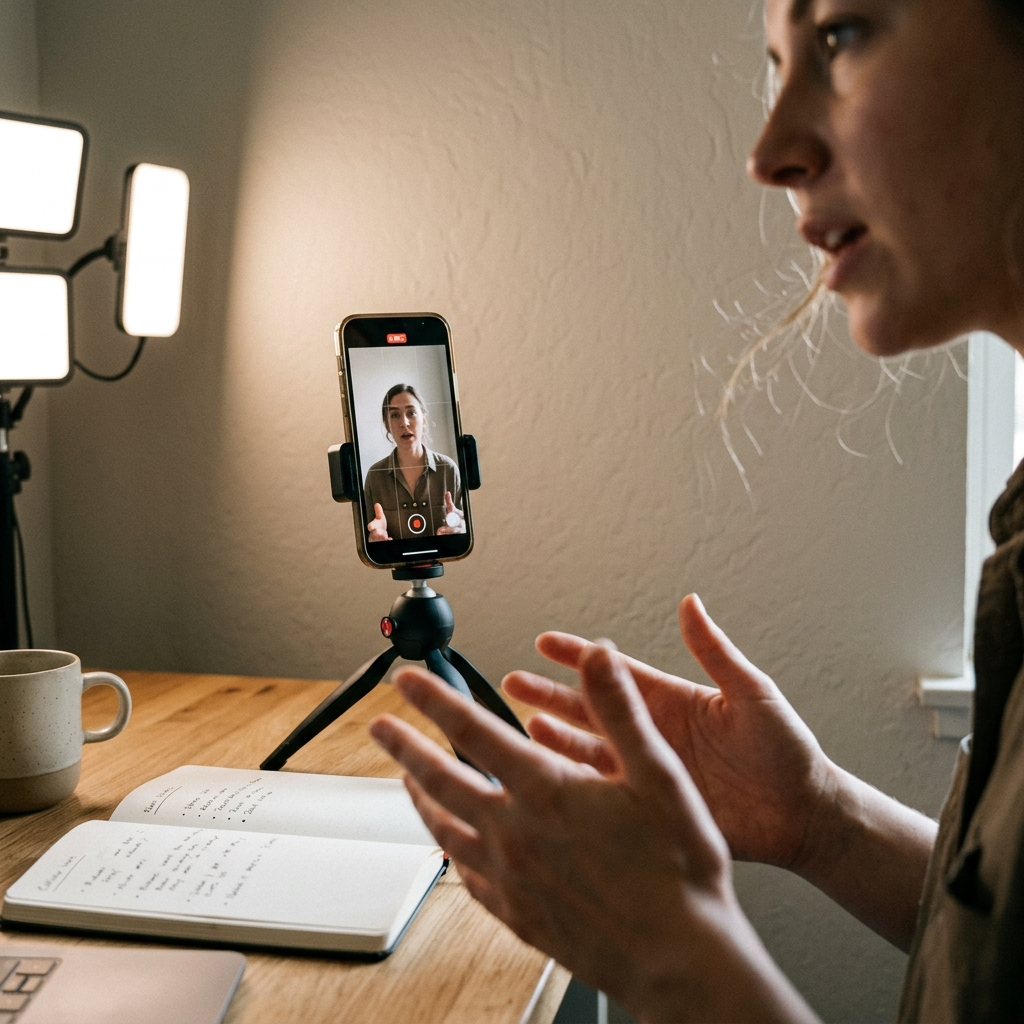
I’ve been creating videos for my blog for a while now, and I want to share the workflow that keeps me sane.
This isn’t about fancy equipment or complicated editing techniques. It’s about building a system that you can actually maintain without burning out or hiring a full production team.
Here’s what I’ve learned about making Amazon shoppable videos work as a solo content creator.
Record Straight Through (Yes, Really)
I know what you’re thinking. You want to pause between takes, fix your mistakes, and create the “perfect” video.
I used to do that too.
Then I realized something: every pause during filming multiplies your editing time later.
When you stop and start during recording, you create work for yourself in post-production. You have to find all those cuts, decide which takes to keep, and stitch everything together. That’s hours of your life you’re not getting back.
Now I record straight through without stopping. If I mess up a word, I keep going. If I lose my train of thought for a second, I work through it on camera.
This approach obviously takes a little practice to master, but the more you do – the more natural it will feel.
TIP: Take a couple of random talking points, and record yourself 10 times so you get into the flow of things, and can perform better when you begin recording.
The result? Videos that feel more authentic and take a fraction of the time to produce.
Your audience doesn’t need perfection. They need to connect with you and understand what the benefits of the products are. A few verbal stumbles make you human, not unprofessional.
The Real Trade-Off You Need to Understand
Here’s the truth about video production: you pay with your time no matter what.
You can spend that time during filming, making sure everything is tight and clean from the start. Or you can spend it later, sitting at your computer editing for hours.
I choose to invest my time upfront during recording. I prepare my talking points, set up my space, and then deliver the content in one take.
But there’s a third option if you have the budget: hire a virtual assistant to handle post-production.
If editing drains you or takes too long, delegating this task makes sense. A VA can handle the cuts, add your intro and outro, insert graphics, and prepare the final file. You focus on content creation and strategy.
If you’re looking to hire a VA, I recommend trying OnlineJobs.ph. This is a group of people who are very experienced and knowledgeable, and they’re budget-friendly too.
The key is recognizing that editing time adds up fast. An hour here, two hours there, and suddenly you’ve spent an entire workday on a single video. That’s time you could spend writing, coaching clients, or building your business.
Pick your approach based on what protects your overall productivity.
The 4 Levels of Video Editing (And Where Amazon Shoppable Videos Fit)
I came across a framework from another influencer that completely changed how I think about video editing. I’ll cite him by name as soon as I can track down the reference, but the concept is too useful not to share now.
He broke video editing down into four distinct levels. Understanding where you fall on this spectrum helps you make smarter decisions about your time, budget, and production goals.
Level 1: Raw and Unedited
You record straight through. No cuts, no transitions, no post-production work at all. You hit record, you deliver your content, you upload.
This is my personal default for most Amazon shoppable videos. The time savings are significant, and the authenticity often outperforms over-produced content anyway. For Amazon shoppable videos especially, raw and real tends to convert well because viewers are evaluating the product, not the production quality.
Level 2: Minor Editing
Here you add some light touches: basic cuts to remove dead air, simple transitions between sections, and possibly a voiceover layer if you want to clarify a point or add context without re-recording the whole thing.
This is a solid middle ground. You’re cleaning up the video without going down a rabbit hole of complex editing decisions. A VA can handle this level easily, which makes it a great option if you want polished content without spending your own time on post-production.
Level 3: B-Roll and Stock Footage
At this level, you’re adding visual variety. B-roll footage of the product being used, lifestyle shots, or stock video clips that reinforce the mood or message you’re going for.
This works particularly well for product reviews and Amazon shoppable content because it gives viewers a closer look at what they’re considering buying. You can show the product from multiple angles, demonstrate it in use, or set a specific visual tone that matches your brand.
Stock video is a solid option here if you don’t have the footage yourself. There are plenty of affordable libraries that give you professional-quality clips to work with.
Level 4: Cinematic Quality
This is full production mode: color grading, advanced transitions, professional sound design, motion graphics, and the kind of polish you’d associate with high-budget brand videos.
Honestly? For on-site Amazon shoppable videos, Level 4 is probably overkill. The conversion intent of an Amazon shoppable video doesn’t require cinematic production. People are there to decide whether to buy a product, not to be wowed by your editing suite.
Where Level 4 becomes a real asset is when you’re syndicating that video across YouTube, Facebook, LinkedIn, and other platforms where you’re competing for attention in a busy feed. A cinematic-quality video stops the scroll. It signals professionalism and authority. And if you’re building a brand that you want people to take seriously across multiple channels, that production quality can absolutely pay off in visibility and conversions.
So think of Level 4 as your long-game investment, not your everyday workflow.
Multi-Platform Distribution: My Synchronization Strategy
I don’t create a video for just one platform. That would be a waste of effort.
Every video I produce goes on YouTube, Facebook, and LinkedIn. Same content, multiple touchpoints with my audience.
This is part of what I call a multi-pronged visibility approach. Different people consume content on different platforms. Some of my audience lives on YouTube. Others scroll Facebook. LinkedIn reaches my professional connections.
By synchronizing my videos across all three platforms, I maximize the return on the time I invested in creating that content.
Here’s my process:
-
Upload the master file to YouTube first
-
Download or use the same file for Facebook
-
Upload to LinkedIn with platform-specific captions
-
Embed the YouTube version on my blog post
-
Link to the blog post from all social platforms
This creates a web of content that drives traffic back to your site where you can convert viewers into email subscribers or customers.
The beauty of this approach is that you create once and distribute everywhere. You’re not making separate videos for each platform. You’re repurposing strategically.
Keep Everything Uniform
One of the biggest time-savers in my workflow is consistency.
I use the same format for every video. Same intro, same style, same background, same lighting setup.
This might sound boring, but it’s actually brilliant for two reasons.
First, consistency builds brand recognition. When someone sees your video, they should immediately know it’s yours. The uniform format creates that instant recognition.
Second, it eliminates decision fatigue. I don’t spend 20 minutes before each video wondering how to set things up or what approach to take. I know exactly what to do because I do it the same way every time.
My setup checklist:
-
Same camera position and angle
-
Same lighting configuration
-
Same background elements
-
Same intro and outro templates
-
Same video length target (usually 5-8 minutes)
When everything is uniform, you spend less mental energy on production decisions and more on delivering valuable content.
Your audience comes for the information, not for creative cinematography. Give them what they need in a reliable, recognizable package.
The Thumbnail Question (And My Honest Answer)
I’m going to be transparent here: thumbnails are not my strong suit or main focus.
I know they matter for YouTube click-through rates. I understand the psychology behind compelling thumbnail design. But I also know my limits and where I choose to invest my energy.
For on-site video placement on my blog, thumbnails matter less than they do on YouTube. The video is already embedded in the context of an article. Readers are there for the content, and they’ll watch if the topic interests them.
That said, if you want to optimize your thumbnails without spending hours in design software, I recommend checking out ViralVue.
It’s a web app that automates thumbnail creation. You can generate professional-looking thumbnails quickly without design skills.
I’ve written a separate article about ViralVue that goes into more detail about how it works and whether it’s worth the investment for your workflow. I’ll link that here when you’re ready to explore thumbnail optimization further.
But here’s my advice: don’t let thumbnail perfectionism stop you from publishing videos.
A decent thumbnail is better than no video at all. You can always improve your thumbnails later as you refine your process.
What I’m Still Figuring Out
This article is a work in progress because my video workflow is still evolving.
I’m constantly testing new approaches, tools, and strategies to make video production more efficient. As I discover what works and what doesn’t, I’ll update this guide with new insights.
Some things I’m currently experimenting with:
-
Better scripting methods that keep me on track without sounding robotic
-
Optimal video lengths for different types of content
-
Ways to make Amazon shoppable elements more seamless in the viewing experience
-
Analytics tracking to see which videos actually drive sales
The video landscape changes constantly. What works today might need adjustment tomorrow. The key is building a foundation that’s flexible enough to adapt without requiring a complete overhaul every few months.
Your Action Plan
If you want to start creating Amazon shoppable videos for your blog, here’s where to begin:
Step 1: Set up a consistent recording space. You don’t need a studio. You need a corner of a room with decent lighting and a clean background.
Step 2: Plan your content. Write bullet points, not full scripts. Know what you want to say, but leave room for natural delivery.
Step 3: Record straight through. No stopping, no second-guessing. Get it done in one take.
Step 4: Choose your editing level. Level 1 for speed, Level 2 if you want a quick polish, Level 3 if you’re showcasing a product in detail, Level 4 if you’re building a high-visibility brand presence across multiple channels.
Step 5: Upload everywhere. YouTube, Facebook, LinkedIn, and embedded on your blog. Maximize your reach.
Step 6: Create a simple thumbnail. Don’t obsess over it. Good enough is good enough to start.
Step 7: Publish and move on. Don’t let perfectionism keep you from shipping.
The bloggers and content creators who succeed with video aren’t the ones with the fanciest equipment or the most polished production. They’re the ones who publish consistently and refine their process over time.
You can build a video workflow that supports your business without taking over your life. It takes some trial and error to find what works for you, but the foundation I’ve shared here will get you started.
Start with one video. See how it goes. Adjust your approach based on what you learn. Then do it again.
That’s how you build a sustainable video content strategy that actually generates income for your online business.
Ready to Monetize Your Content?
Video is just one piece of building a profitable online business.
If you want to learn the complete strategy for turning your blog and content into monthly income, check out my membership: the Content Creators Society – you’ll get ongoing support as you implement these strategies.
Visit Inspired to Blog to learn more about the programs available and find the right fit for where you are in your content creation journey.